
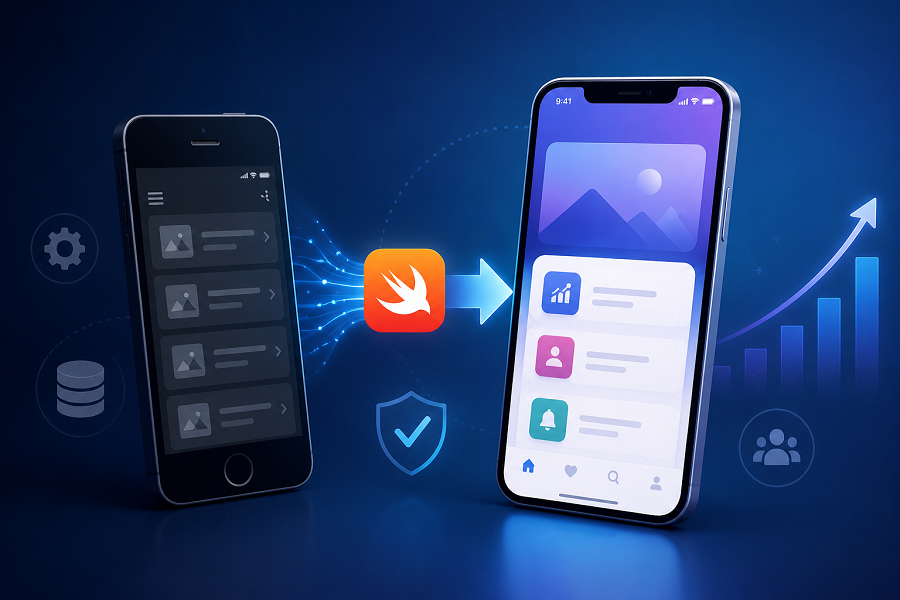
Migrating an older mobile app to a modern iOS platform is not just about updating code. The goal is to improve performance, security, user experience, and long-term maintainability while keeping your current users engaged and active. A successful migration protects user data, preserves familiar features, and introduces improvements without disrupting the experience.
Businesses that delay modernization often face slow performance, compatibility issues with new iOS updates, security concerns, and lower app retention. Working with an experienced iOS App development company Chicago can help make the transition smoother while reducing risk.
This guide explains how to move an older app to a modern iOS environment without losing users and what steps matter most during the process.
Why Businesses Are Modernizing Older iOS Applications
Older apps often rely on outdated frameworks, unsupported libraries, or design standards that no longer match user expectations.
Common reasons businesses migrate include:
- Compatibility with newer iOS versions
- Better app speed and responsiveness
- Stronger security and privacy controls
- Reduced maintenance costs
- Improved integration with APIs and cloud platforms
- Better App Store performance and visibility
Modernization is not rebuilding everything from scratch. In many cases, the best approach is upgrading strategically while keeping what already works.
Choosing the right development partner also matters during modernization. Learn what to evaluate in What Makes a Reliable iOS App Development Company in Chicago.
Signs Your App Needs Migration
Before planning the process, evaluate whether your application is showing common warning signs.
Frequent Crashes or Performance Problems
Slow loading times and unexpected crashes reduce trust and increase uninstall rates.
Difficult Maintenance
If every small update requires a major development effort, your app architecture may no longer support growth.
Poor User Experience
Users expect smooth navigation, fast loading, and interfaces aligned with current iOS design patterns.
Security Risks
Legacy frameworks may expose vulnerabilities and create compliance concerns.
An experienced iOS App development company chicago can audit your existing platform and identify what should be upgraded first.
Step 1: Audit Your Existing Application
Migration starts with understanding what already exists.
Review:
- Current codebase quality
- Third-party dependencies
- User analytics
- Crash reports
- App performance metrics
- Backend infrastructure
- User feedback
This stage prevents rebuilding unnecessary features and helps prioritize improvements.
Questions to ask:
- Which features do users actually use?
- Which workflows create friction?
- What parts of the system are creating technical debt?
Data-driven decisions reduce migration risk.
Step 2: Understand What Existing Users Value
One of the biggest mistakes during migration is changing too much too quickly.
Users may accept visual improvements, but removing familiar functionality often leads to abandonment.
Collect insights from:
- App reviews
- Session recordings
- Customer feedback
- Retention reports
- Usage analytics
Identify:
- High-value features
- Core user journeys
- Frequently used screens
Keep those experiences stable during transition.
Step 3: Choose the Right Migration Strategy
Not every app needs complete redevelopment.
Replatforming
Move to updated iOS technologies while maintaining major functionality.
Best for:
- Stable apps needing technical upgrades
Incremental Modernization
Upgrade features gradually.
Best for:
- Large apps with active users
Full Rebuild
Develop a new version using modern architecture.
Best for:
- Legacy systems with significant limitations
Many businesses working with a mobile app development company Chicago choose phased migration because it reduces downtime and user disruption.
If migration costs are part of your decision-making process, read our guide on How Much Does It Cost to Build an iOS App in Chicago for factors that influence budgeting and project planning.
Step 4: Modernize App Architecture

A strong architecture creates flexibility for future updates.
Modern iOS apps commonly use:
- Swift for development
- Modular architecture
- Cloud-based services
- API-first integrations
- Scalable backend systems
Modern architecture improves:
- Faster deployment
- Better testing
- Lower maintenance effort
- Improved app reliability
If your business also uses CMS development services, this stage is the right time to improve content delivery and centralize management across platforms.
Technology decisions made during migration affect future performance and scalability. Our guide on How to Choose the Right Tech Stack for Your Next Mobile App explains what to consider.
Step 5: Preserve User Accounts, Data, and Preferences
Users should not feel like they are starting over.
Migration should protect:
- Login credentials
- App settings
- Purchase history
- Saved preferences
- User-generated content
Important actions include:
- Database validation
- Secure data transfer
- Backup processes
- Account migration testing
Data continuity is often one of the biggest factors affecting retention.
Step 6: Improve UI Without Confusing Existing Users
Users want modern experiences—but not unnecessary complexity.
Keep:
- Familiar navigation
- Recognizable workflows
- Consistent branding
Improve:
- Accessibility
- Performance
- Visual clarity
- Gesture support
Small improvements often outperform complete redesigns.
Once your migration plan is in place, reviewing the Top 7 Features Every iOS App Needs to Succeed in 2026 can help identify updates that improve long-term user engagement.
Step 7: Test Before Full Launch
Testing should happen across multiple scenarios.
Include:
- Functional testing
- Device compatibility testing
- Performance testing
- Security testing
- User acceptance testing
- Regression testing
Use beta groups before public rollout.
One practical checklist includes:
- Verify login flows
- Test data synchronization
- Validate push notifications
- Check loading speed
- Confirm payment functionality
- Monitor crash reporting
This stage helps reduce unexpected issues after release.
Step 8: Launch Gradually Instead of Releasing to Everyone
Avoid updating all users at once.
Recommended rollout process:
Internal Release
Validate technical performance.
Limited User Release
Monitor real-world usage.
Progressive Expansion
Increase availability after stable results.
Track:
- Retention rates
- Crash reports
- Session duration
- User feedback
This phased method protects active users while allowing quick fixes.
Step 9: Communicate Changes Clearly
People are more likely to stay if they understand why changes are happening.
Tell users:
- What is improving
- What remains familiar
- How their data stays protected
- Where to get support
Use:
- In-app messages
- Release notes
- Email announcements
- FAQ pages
Clear communication lowers frustration and increases adoption.
Step 10: Plan Beyond Migration
Migration should support future growth.
After launch:
Monitor User Behavior
Track engagement and retention.
Continue Updating
Release improvements regularly.
Expand Cross-Platform Opportunities
Businesses often align iOS improvements with Android mobile app development Chicago initiatives to create consistent experiences.
Many organizations also use lessons from iOS modernization to strengthen Android app development projects and broader Chicago mobile app development strategies.
Modernization is an ongoing process—not a one-time event.
Common Mistakes That Cause User Loss During Migration
Avoid these issues:
| Mistake | Impact |
|---|---|
| Rebuilding everything at once | Higher risk of disruption |
| Ignoring analytics | Features users need may disappear |
| Poor communication | Lower trust |
| Skipping testing | Increased crashes |
| Complicated redesign | Lower retention |
| Rushed launch | More support issues |
Preventing these mistakes can protect long-term growth.
How Long Does an iOS App Migration Usually Take?
The timeline depends on:
- App complexity
- Number of integrations
- Data requirements
- Design changes
- Testing scope
Smaller apps may take weeks, while enterprise platforms often require several months.
Working with an experienced iOS App development company helps reduce delays and improve planning.
Final Thoughts
Migrating an old application to a modern iOS platform is about improving technology without losing the trust of existing users. The best migrations protect familiar experiences while improving speed, security, and long-term scalability.
Businesses that plan carefully, communicate clearly, and release updates strategically are more likely to retain users and improve performance over time.
Ready to modernise your app?
IBWD Computer Services helps businesses transition from outdated mobile applications to modern iOS experiences built for growth, performance, and long-term usability. If your current app is slowing progress, now is the time to evaluate what improvements will create the biggest impact.
Connect with IBWD Computer Services to discuss your next mobile app migration project and explore the right path for your business goals.
