
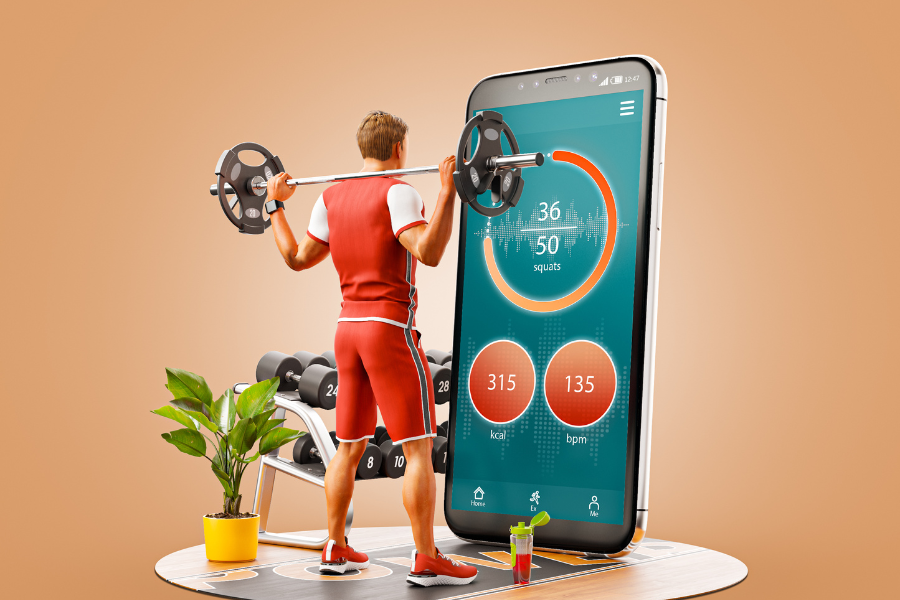
Running a gym involves more than providing workout equipment and personal training. Owners also need to manage memberships, class schedules, payments, trainer availability, and member communication. A gym management app can bring these activities together in one place, helping staff handle daily operations while giving members an easier way to manage their fitness routines.
To create a gym management app, start by identifying your business needs, selecting the right features, choosing a suitable technology stack, and planning the development process. Working with a fitness app development company can help you turn these requirements into a practical mobile application that supports your gym’s operations and long-term goals.
For fitness businesses in Chicago, investing in a well-planned app can also create a more convenient experience for members who prefer managing their workouts, bookings, and memberships directly from their phones.
1. Identify What Your Gym Management App Needs to Do
Before development begins, decide which problems the app should solve. A small independent gym may need membership tracking and class bookings, while a multi-location fitness business may require staff management, location-specific schedules, and consolidated reporting.
Start by reviewing how your gym currently operates. Speak with trainers, front-desk employees, and members to understand where delays, repetitive tasks, or communication problems occur.
Consider questions such as:
-
How do members currently register and renew memberships?
-
Do trainers manage appointments through separate calendars?
-
Are class bookings and cancellations handled manually?
-
Which payment and billing tasks take the most staff time?
-
What information do members frequently request from employees?
These answers will help you define a realistic first version of the app instead of spending money on features that members may rarely use.
Have an idea for a gym management app? Contact IBWD Computer Services to discuss your project requirements.
2. Choose the Essential Features for Your Gym Management App
The right features depend on your gym’s size, membership model, and services. However, most gym management applications benefit from a few core functions that make everyday tasks easier for both employees and members.
Allow members to create accounts, complete registration, view membership details, and renew their plans. The app should clearly display membership types, expiration dates, and relevant terms.
For gym staff, an administrative dashboard can help manage member records, monitor renewals, and identify memberships that are about to expire.
Class scheduling and booking
Members should be able to view available classes, check trainer details, reserve a place, and cancel bookings according to your gym’s policies.
Useful scheduling features include:
-
Real-time class availability and booking confirmation.
-
Waitlists for fully booked sessions.
-
Notifications about schedule changes.
-
Trainer calendars and class capacity limits.
Online payments and billing
A gym management app can support membership payments, class fees, personal training packages, and recurring billing through an appropriate payment provider.
Make sure the payment process is easy to understand. Display prices, renewal dates, cancellation terms, and transaction confirmations clearly. Payment information should be handled through secure, appropriately integrated payment services rather than stored unnecessarily in the app.
Workout tracking and fitness progress
Members may appreciate tools for recording workouts, tracking personal goals, and reviewing progress over time. Depending on your gym’s services, you could include workout logs, exercise demonstrations, training plans, and progress charts.
These features should support members without making the app feel complicated. Give users control over their information and avoid presenting general fitness tracking as medical advice.
Trainer and staff management
Your employees also need a practical way to manage daily work. Staff-facing features may include appointment calendars, attendance records, class rosters, trainer availability, and administrative permissions.
Separating member and staff access helps ensure that each person sees the functions and information relevant to their role.
Push notifications and member communication
Notifications can remind members about upcoming classes, membership renewals, booking confirmations, and important gym announcements.
Give members control over non-essential notifications and avoid sending frequent promotional messages that may cause them to disable alerts.
For more ideas, read Top 8 Features Your Fitness App Needs to Compete.
3. Plan the Member Experience Before Development
A gym app should be easy to use, even for someone who is not comfortable with technology. Members may open it quickly before a workout, while travelling, or when checking whether a class has available spaces.
Keep the most common actions easy to find. For example, the home screen might provide direct access to membership details, class bookings, workout history, and payments.
Use clear labels, readable text, accessible color contrast, and buttons that are comfortable to tap on a phone. Avoid forcing users through unnecessary screens to complete simple tasks.
It is also useful to map out the main user journeys before designing the interface. A typical member journey could look like this:
-
Create an account
A new member registers and enters the required information.
-
Choose a membership
The member reviews available plans and selects an appropriate option.
-
Complete payment
The member pays through the integrated payment provider and receives confirmation.
-
Book a class or training session
The member checks availability and reserves a session.
-
Track activity and manage the account
The member views bookings, records workouts, and manages membership details.
This journey gives designers and developers a shared understanding of how the app should work before they begin building it.
4. Select the Right Technology for Your App
Your technology choices affect development cost, performance, maintenance, and the ability to add features later. The best approach depends on your budget, target devices, integrations, and expected number of users.
Native or cross-platform development?
Native development uses platform-specific technologies for iOS and Android. It can be appropriate when an app requires specialised device functionality or highly platform-specific experiences.
Cross-platform development allows a team to build applications for multiple platforms using a shared codebase. This may reduce duplicated development work, although the actual savings depend on the app’s complexity and integrations.
An experienced fitness app development company can help assess these options against your business requirements rather than choosing a technology simply because it is popular.
Is Ionic a suitable option?
Ionic is a framework used to build cross-platform applications with web technologies. It may suit gym businesses that want to support multiple platforms while sharing much of the application code.
The decision should account for device integrations, expected performance, interface requirements, and the team’s experience. You can read What Does an Ionic App Development Company Actually Do? to understand the role of an Ionic development team.
Build a reliable backend.
The backend manages the information and business rules that power the app. It may handle member accounts, memberships, bookings, payments, notifications, and reporting.
Choose a backend architecture that can support your expected workload and future requirements. Include appropriate access controls, data validation, backups, monitoring, and secure communication between the app and server.
For Chicago businesses evaluating local development support, mobile app development in Chicago is a useful starting point for exploring IBWD Computer Services’ services.
5. Protect Member Information and Payment Data

Gym management apps can collect personal information, contact details, membership records, payment-related information, and workout history. Protecting that information should be part of the development plan from the beginning.
Important security measures include:
-
Secure authentication: Use appropriate account verification and authentication controls.
-
Role-based access: Limit staff access according to job responsibilities.
-
Data encryption: Protect information during transmission and use suitable encryption for stored data.
-
Secure payment integration: Use reputable payment providers and avoid storing sensitive payment details unnecessarily.
-
Regular updates: Address security issues and keep app dependencies and server components maintained.
-
Privacy controls: Explain what information is collected, why it is needed, and how members can manage their accounts.
If your app introduces health-related functions, wearable integrations, or information that may be subject to specific privacy rules, review the applicable requirements with qualified legal and security professionals. Requirements depend on the data collected, the services provided, and the locations where the business operates.
6. Start With a Minimum Viable Product (MVP)
You do not need to build every possible feature in the first release. A minimum viable product, or MVP, includes the essential functions needed to serve real users and test whether the app solves their problems.
For a gym, the initial release might include member registration, membership management, class scheduling, payments, notifications, and a basic staff dashboard.
Advanced workout analytics, wearable integrations, personalised recommendations, and multi-location reporting can be considered later if there is a clear business need.
An MVP allows your team to collect feedback before committing to a larger development budget. It also helps identify which features members actually use and where the experience needs improvement.
Planning an MVP for your fitness business? Speak with IBWD Computer Services about your app’s essential features and development approach.
7. Understand the Cost of Building a Gym Management App
The cost of a gym management app depends on its features, design, technology, integrations, and ongoing support requirements. There is no single price that applies to every fitness business.
A simple app with membership information and class bookings will generally involve different development work from a platform that supports several gym locations, complex billing, trainer management, and wearable integrations.
Common cost factors include:
|
Development factor |
How it affects the project |
|---|---|
|
Features and functionality |
More complex workflows require additional design, development, and testing. |
|
Platforms |
Supporting iOS, Android, and web administration affects the scope. |
|
UI/UX design |
Custom interfaces and detailed user journeys require design work. |
|
Integrations |
Payment gateways, access-control systems, and third-party services add implementation and testing needs. |
|
Backend and infrastructure |
Data storage, user volume, security, and reporting affect technical requirements. |
|
Maintenance |
Hosting, updates, bug fixes, and compatibility work continue after launch. |
Before requesting a quote, prepare a feature list and identify which functions are essential for launch. This makes it easier for a development team to estimate the work and explain the main cost drivers.
For additional guidance, see How Much Does Mobile App Development Cost in Chicago?
8. Test the App Before Releasing It
Testing helps identify problems before they affect members and gym staff. Do not limit testing to whether the app opens or whether buttons respond. Check the complete workflows that people will use in everyday situations.
For example, test what happens when a class becomes full, a member cancels a booking, a payment fails, or a membership expires. Confirm that the app displays accurate information and provides useful messages when something goes wrong.
Test across the devices and operating system versions you plan to support. Include users with different levels of technical experience, and check accessibility, loading speed, and behaviour under poor network conditions.
A fitness app development company should also help establish a process for reporting defects, prioritising fixes, and verifying that updates do not break existing functions.
9. Launch, Gather Feedback, and Improve
Once testing is complete, prepare the app for release. This may include setting up app store listings, writing clear descriptions, preparing screenshots, publishing privacy information, and training staff on the administrative dashboard.
Consider a limited rollout with a small group of members before making the app available to everyone. Their feedback can reveal confusing screens, missing features, or unexpected problems with bookings and payments.
After launch, monitor meaningful measures such as:
-
Number of members registering and completing onboarding.
-
Class booking and cancellation activity.
-
Membership renewals and payment completion.
-
App crashes, loading problems, and support requests.
-
Member feedback and repeat usage.
Use these findings to guide improvements. Regular maintenance is also important because operating systems, third-party services, and business requirements can change.
Direct CTA: Ready to discuss your gym app project? Contact IBWD Computer Services to explore the next steps for your fitness business.
10. How IBWD Computer Services Can Help With Gym App Development
Building a gym management app requires more than writing code. You need a clear understanding of your business processes, a useful interface, reliable integrations, appropriate security measures, and a plan for maintaining the application after release.
IBWD Computer Services provides mobile application development services for businesses that need software to support their operations and customer experiences. A Fitness App Development Company can help you evaluate your requirements, plan the application structure, select suitable technologies, and organise the development and testing process.
Whether you operate an independent fitness studio, a personal training business, or a gym with multiple locations, begin with the features that address your members’ needs and your team’s daily challenges.
Learn more about IBWD Computer Services and its fitness app development services.
Conclusion
A gym management app can help fitness businesses organise memberships, simplify class bookings, manage payments, and improve communication with members. The development process starts with understanding your business requirements, prioritising essential features, designing a straightforward user experience, and selecting technology that supports your plans.
Start with a manageable set of features, test the app with real users, and use their feedback to guide future improvements. With a clear development plan and the right technical support, your gym can build an application that makes everyday fitness management more convenient.
Working with a fitness app development company such as IBWD Computer Services can help you plan the project around your operational needs, budget, and long-term goals.
